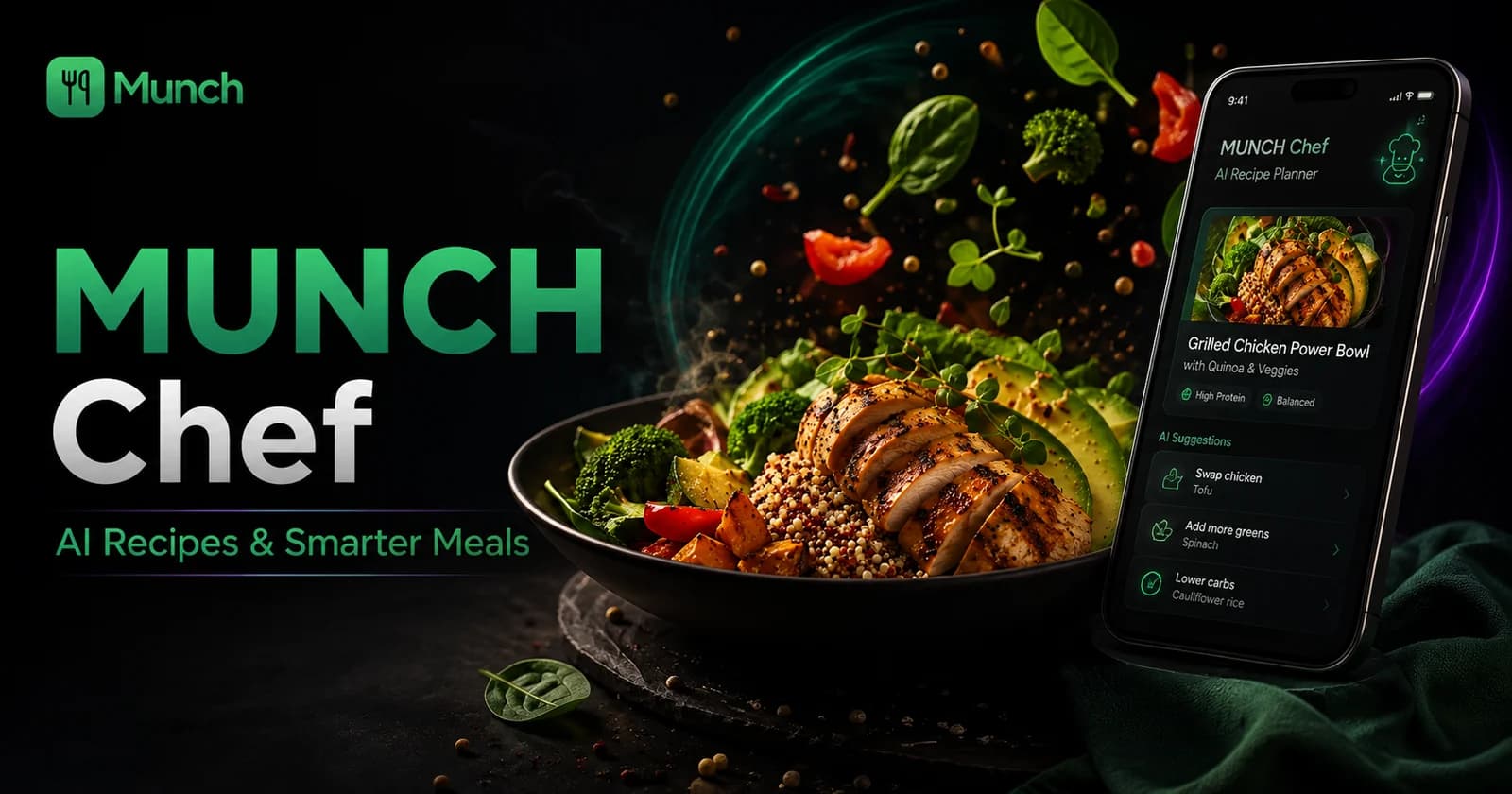
MUNCH Chef is a free AI recipe generator from ingredients inside the MUNCH app. Users enter the foods they have, add preferences or restrictions and receive organised meal ideas rather than an unstructured chat response. The result can include a meal image, ingredients, estimated macros, cooking steps, optional extras and serving ideas.
AI-generated recipes still require human checking. Confirm allergens, food safety, cooking temperatures, portions and whether the listed ingredients are genuinely available. Macro values are estimates and should not be treated as clinical nutrition calculations or exact label data.
Key takeaways
- Enter specific ingredients and approximate quantities for more usable recipe suggestions.
- Separate “must use” ingredients from optional pantry items and foods you do not have.
- State dietary restrictions clearly, then verify every product label and suggested substitute yourself.
- Treat macros, images and cooking times as estimates that need checking.
- Save the strongest idea into the meal-planning routine instead of generating endless alternatives.
Who this is for
MUNCH Chef works best when the user has a practical ingredient problem and enough information to constrain the answer.
- Students deciding what to cook from ingredients already at home.
- Users trying to use leftovers or short-life foods before another shop.
- People who want structured recipe cards rather than a long chat response.
- Meal planners who need ideas compatible with a budget, dietary preference or preparation limit.
- Anyone relying on AI to identify whether food is safe to eat from appearance alone.
- Users needing exact clinical nutrition, allergy or medical-diet calculations.
- People entering vague ingredients and expecting a reliable recipe without checking details.
- Anyone unwilling to verify cooking, storage and allergen information.
Download MUNCH free and use this feature
Use MUNCH to plan meals, track movement, access AI tools and stay connected to your routine in one app.
Give MUNCH Chef enough information to produce a useful recipe
A list of three vague foods creates a vague answer; context creates a meal you can actually cook.
Start with the ingredients that must be used. Include approximate amounts when they affect the recipe: one egg, half a tin of beans, a small portion of cooked rice or two chicken breasts. Then add common pantry ingredients you are willing to use, such as oil, spices, flour or stock.
State the practical limit. Tell the feature how much time you have, which appliances are available and how many portions are needed. A recipe for an oven is not useful in a room with only a microwave, and a four-portion meal may create waste for a user with no freezer.
- Must-use ingredients and approximate quantities.
- Pantry ingredients you already have or are willing to add.
- Foods, allergens or ingredients that must be excluded.
- Available appliances and maximum cooking time.
- Number of servings and whether leftovers are useful.
How to generate and choose a MUNCH Chef meal
Use one generation to make a decision, then improve the selected meal instead of endlessly refreshing.
- 1
Enter the ingredients you genuinely have
Include the foods that need using and do not list items that are unavailable simply because they might improve the answer.
- 2
Set dietary and practical requirements
Add exclusions, servings, time, appliance, budget or meal-type information.
- 3
Review the meal cards
Check which option uses the most important ingredients and fits the available time and equipment.
- 4
Inspect ingredients and steps
Confirm amounts, cooking order, food-safety requirements and any pantry extras before starting.
- 5
Modify one chosen recipe
Ask for a simpler method, different serving idea or suitable ingredient swap rather than generating many unrelated options.
Generation is not completion
The useful outcome is a safe meal that is cooked and fits the week—not the number of attractive recipe cards generated.
What to check on an AI-generated recipe card
Treat every field as a decision aid that may need correction.
The image is a visual reference, not proof that the final meal will look identical. The ingredient list should match the user’s input and clearly identify optional additions. Cooking steps should form a safe sequence, especially for raw meat, eggs or foods requiring careful handling.
Macro estimates can help compare options, but they depend on ingredient amounts and database assumptions. A small change in oil, sauce, portion or product can change the result. Use product labels and a suitable nutrition tool when precision matters.
| Card element | Useful question | Reason to verify |
|---|---|---|
| Meal image | Does the image broadly match the listed meal? | AI visuals may be illustrative rather than exact |
| Ingredients used | Are all required ingredients available and suitable? | The model can infer or add pantry items |
| Macro estimate | Are quantities and portions clearly defined? | Estimates change with product and serving size |
| Cooking steps | Is the sequence safe and possible with my equipment? | AI can omit a practical or safety detail |
| Chef upgrade | Does it improve the meal without breaking budget or restrictions? | Optional suggestions may add cost or allergens |
Use MUNCH Chef for real student food problems
The feature is strongest when the request has a clear constraint.
For leftovers, enter the cooked ingredient and ask for a meal that uses it safely within the appropriate storage period. For a low-budget week, specify the staple foods already at home and ask for minimal extras. For meal prep, request portions that store and reheat appropriately.
For a high-protein goal, ask for protein-forward ideas, then confirm that the meal fits the selected MUNCH+ diet system rather than assuming a recipe title makes it suitable. For a quick lunch, set the preparation time and equipment so the answer is realistic between lectures or work.
| Situation | Useful request structure | Check afterwards |
|---|---|---|
| Use leftovers | “Use these cooked ingredients in one safe meal for two portions” | Storage time, reheating and food condition |
| Cheap student meal | “Use these staples and add no more than a few basic extras” | Current prices and what is already owned |
| High-protein meal | “Create a protein-forward meal using these foods” | Portion, total plan and macro estimate |
| 15-minute meal | “Use one pan or microwave and finish within the available time” | Actual preparation and cooking safety |
| Batch cooking | “Create several portions that store and reheat well” | Storage containers, cooling and use-by plan |
Check food safety, allergens and dietary claims yourself
AI can organise a recipe, but the user remains responsible for current product and cooking information.
Do not use an AI image or description to decide whether an ingredient has spoiled. Follow current storage guidance, use-by dates and sensory or professional food-safety advice as appropriate. When in doubt about unsafe food, do not use the model to justify eating it.
Check labels for allergens and cross-contamination statements. A sauce, stock, spice mix or substitute may introduce an allergen even when the main ingredients appear suitable. Product formulations can change, so an old saved recipe does not replace the current label.
- Verify every packaged product label for allergens and suitability.
- Use current storage and use-by information.
- Prevent cross-contamination during preparation.
- Confirm safe cooking for meat, fish, eggs and reheated foods.
- Do not ask AI to prove that questionable food is safe.
MUNCH Chef versus a general AI chat
A feature-specific workflow can turn an answer into a reusable meal card and planning action.
| Area | MUNCH Chef | General AI chat |
|---|---|---|
| Primary input | Ingredients, constraints and meal context | Any conversational question |
| Output format | Organised meal cards, ingredients, estimates, steps and serving ideas | Usually free-form text |
| Planning link | Designed to support the MUNCH meal workflow | May require manual transfer into a plan |
| Best use | Choosing and organising a meal from available food | Exploration, explanation or follow-up questions |
| Shared limitation | AI output still requires checking for safety, allergens and accuracy | AI output still requires checking for safety, allergens and accuracy |
Common mistakes to avoid
Entering vague ingredient names without quantities, restrictions, servings or available equipment.
Assuming the generated image, macros and cooking time are exact.
Following a suggested substitute without checking allergens and the current product label.
Generating many options instead of choosing one meal and adding it to the plan.
Using an AI answer to decide that questionable or expired food is safe.
Action checklist
- 1List the must-use ingredients and approximate quantities.
- 2Add dietary exclusions, servings, time and equipment.
- 3Choose the meal that best solves the actual food problem.
- 4Verify ingredients, allergens, portions and cooking safety.
- 5Treat macros and images as estimates.
- 6Add the selected meal to the weekly plan and list only missing items.
Frequently asked questions
Is MUNCH Chef a free AI recipe generator from ingredients?
Yes, MUNCH Chef is a free feature inside the MUNCH app. Enter ingredients and practical requirements to receive organised meal ideas. The user must still verify allergens, food safety, product labels, portions and cooking. Macro values and generated images should be treated as estimates.
Can MUNCH Chef make recipes from food already in my fridge?
Yes. List the foods that must be used, approximate quantities, pantry items, servings and available equipment. Do not ask AI to judge whether an old or questionable ingredient is safe. Follow current storage, use-by and food-safety information before including it.
Are the macros in an AI recipe exact?
No. Macro figures depend on ingredient databases, quantities, brands, cooking changes and portion size. They are useful estimates for comparing meal ideas, not clinical calculations or exact product-label data. Verify quantities and use an appropriate nutrition method when precision is important.
Can MUNCH Chef create high-protein or budget meals?
Yes. State the goal and the ingredients you own, then review whether the result fits the wider diet or budget plan. A “high-protein” title does not guarantee that the portion or full day is suitable, and a cheap meal still depends on current prices and what is already available.
Sources and further reading
These sources support the general nutrition, activity or safety context. MUNCH feature details come from the current app implementation.
Related MUNCH guides
Use the pillar for the broad topic, then open the focused guide that matches your next decision.
Download MUNCH free and use this feature
Use MUNCH to plan meals, track movement, access AI tools and stay connected to your routine in one app.
About this guide
Written by the MUNCH Editorial Team using the current mobile app implementation, the supplied Search Console query data and the MUNCH SEO content framework. The page is reviewed whenever the feature, pricing or availability changes.